Recovery option of the D-Link DNS-323
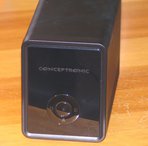
In case there is a problem with the kernel or ramdisk on your D-Link DNS-323 or Conceptronic CH3SNAS, you can upload a new kernel and ramdisk over the serial console and write them to flash. For this, you first have to make a serial connector according to these instructions.
Extracting the Kernel and Ramdisk from a Firmware Image
Both the firmware from D-Link and the installer from Debian are shipped as firmware images that the original firmware will accept. When you want to upload the kernel and ramdisk to flash via the serial console, you first have to extract them from the firmware image.
You can use the dns323-firmware-tools package to extract the firmware
image:
splitdns323fw -k uKernel -i uRamdisk netboot.img
Uploading the Kernel and Ramdisk with Kermit
Now that you have extracted the kernel and ramdisk, you can upload them to
your DNS-323 via the serial console. You need kermit for this task, and if
you're running Debian, you can install the ckermit package from
non-free.
You can now connect to your DNS-323 with kermit. You have to specify the
baud rate as well as the device on your machine where the serial cable is
connected. In my case, this is /dev/ttyUSB0 because I use a USB
connector but if your serial port is built-in it's most likely
/dev/ttyS0.
kermit -l /dev/ttyUSB0 -b 115200
Now enter the following commands, so you will have the right settings:
set carrier-watch off
set flow-control none
set handshake none
set prefixing all
set streaming off
set parity none
Now press c in order to connect to the serial console. Turn your DNS-323
on and when you see the count down press the space key, followed by 1
(the digit "one"). You can write the kernel to flash with the following
command:
loadb k
Now you actually have to upload the kernel via the serial console. For
this, you have to go back to the kermit menu with the keys Ctrl-\ and c
(i.e. Ctrl and backslash, followed by the letter c). Back in the kermit
menu, type:
send uKernel
You will see a menu with the status of the upload. When the kernel has
been uploaded, go back to the serial console with c and wait until the
kernel has been written to flash. Then type
loadb r
in order to load the ramdisk, go back to kermit with Ctrl-\ and c and
type
send uRamdisk
Again, when the ramdisk has been uploaded, go to the serial connection with
c and you will see that the ramdisk is being written to flash.
When both the kernel and ramdisk are in flash, restart the machine and it will load the new image.