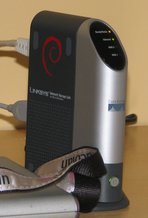
Upgrading Debian on the Linksys NSLU2
If you have installed Debian on your NSLU2 using debian-installer beta2 of Debian etch (version 4.0) you need to follow the manual upgrade described below. Please note that debian-installer beta2 of Debian etch was released several years ago and it's unlikely that you have to follow these steps. So first of all, you should check whether you actually need to do this upgrade process because most users don't. If the output of the command uname -r contains the string ixp4xx and the file /proc/mtd has a line ending with "Loader" you don't have to follow the instructions here. In this case, you can simply upgrade your Debian system with these two commands:
apt-get update apt-get dist-upgrade
On the other hand, if uname -r contains the string nslu2 and your /proc/mtd doesn't include the string "Loader", you have to proceed with the following instructions. Please make sure that you and perform the commands as user root.
-
Edit
/etc/apt/sources.listand make sure that APT is pointed at etch. Then run:apt-get update
If you get errors from APT saying that it
couldn't stat source package list, then you have to switch to a mirror that carries ARM binaries:http://us.arm.mirror.debian.net -
Edit
/etc/kernel-img.confand remove the line starting withpostinst_hook(if there is one) and make sure there is a linedo_initrd = yes
-
If
/lib/firmware/NPE-Bdoesn't exist on your machine yet, please download Intel's proprietary NPE-B microcode and put save it in/lib/firmware. -
Install the new kernel:
apt-get install linux-image-2.6-ixp4xx
-
Edit
/etc/network/interfaceand remove allpre-uplines that mentionixp400. -
Turn your NSLU2 off, and put it into upgrade mode.
-
On another Linux PC, install upslug2.
-
Download http://www.cyrius.com/debian/nslu2/files/sda1-2.6.18-6.bin
-
Flash this new image:
upslug2 -i sda1-2.6.18-6.bin
-
Once upslug2 has flashed the new image, it will reboot and have the new layout.
-
Install the 2nd boot loader and a new package to flash the kernel:
apt-get install flash-kernel apex-nslu2 nslu2-utils
-
Edit
/etc/kernel-img.confand add the following line:postinst_hook = flash-kernel
-
You can now remove the old nslu2 kernel:
apt-get remove linux-image-2.6-nslu2