Serial console for QNAP TS-21x/TS-22x
If you want to connect a serial console to a QNAP TS-21x/TS-22x device, you'll need a 3.3V TTL to RS-232 level shifter. The serial connector is of type JST PHR-4 and the wires need to be crimped into a JST SPH-002T-P0.5S connector pin before it can be fitted inside the JST PHR-4 connector. The layout is as follows from right (1) to left (4):
- TX (red)
- VCC (green)
- RX (black)
- GND (white)
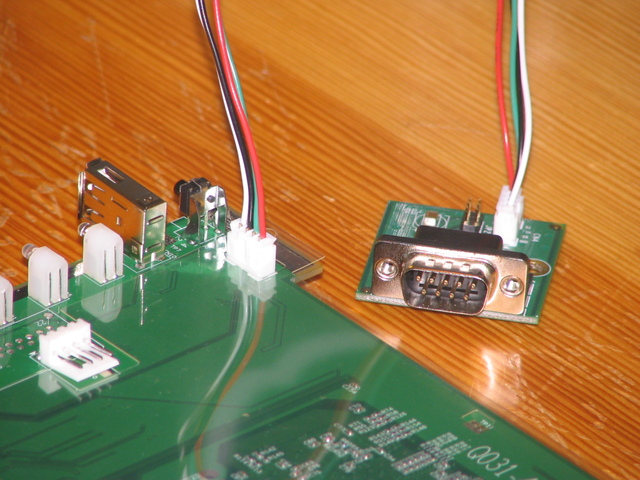
On the TS-219, the serial port can be accesses fairly easily through the hard drive slot at the front. On the TS-219P, the serial connector is labelled CN3 and is very hard to reach via the SATA slot. On newer TS-219P+ devices (revision 1.3 of the board), the connector is labelled CN1. On the TS-212 (board Q041 revision 1.2), it's labelled CN9. On the HS-210, the connector is labelled CN5.
Once you have connected your serial console, you can use a terminal emulation program to connect to U-Boot, the boot loader used by this device. You have to connect with 115200 baud and set the parameters to 8N1 (8 data bits, no parity, 1 stop bit). U-Boot on a separate page about U-Boot.
If your serial console doesn't work or you can see text but your typing is ignored, it might be because you have to connect RX from your connector cable to TX on the QNAP and TX with RX.